Splits
Everyone’s share, on the release.
Add up to 10 people to a release, from your co-writers to your producer, each with their share, paid to each person automatically.
On Artist Plus and Artist Pro.
Release Studio
Release Studio guides you from final mix to release day without the guesswork. It checks your audio, cover art and credits while you work, so you can fix problems before you send.
One release, start to finish
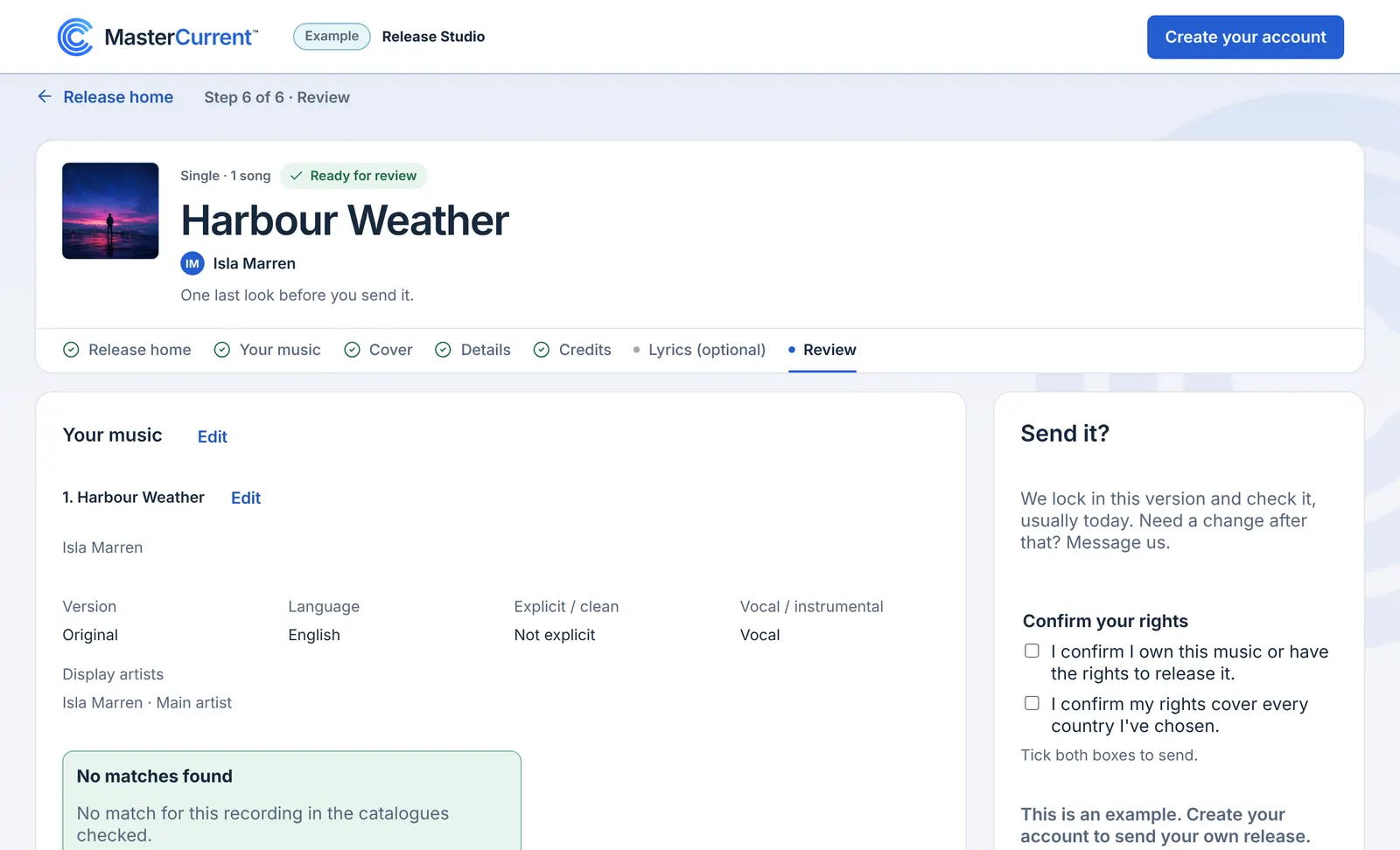
An example release: Isla Marren’s single, step by step.
Upload your cover. We check it as soon as it lands, and tell you if anything needs fixing. You also see it small, the way it shows up in a playlist.
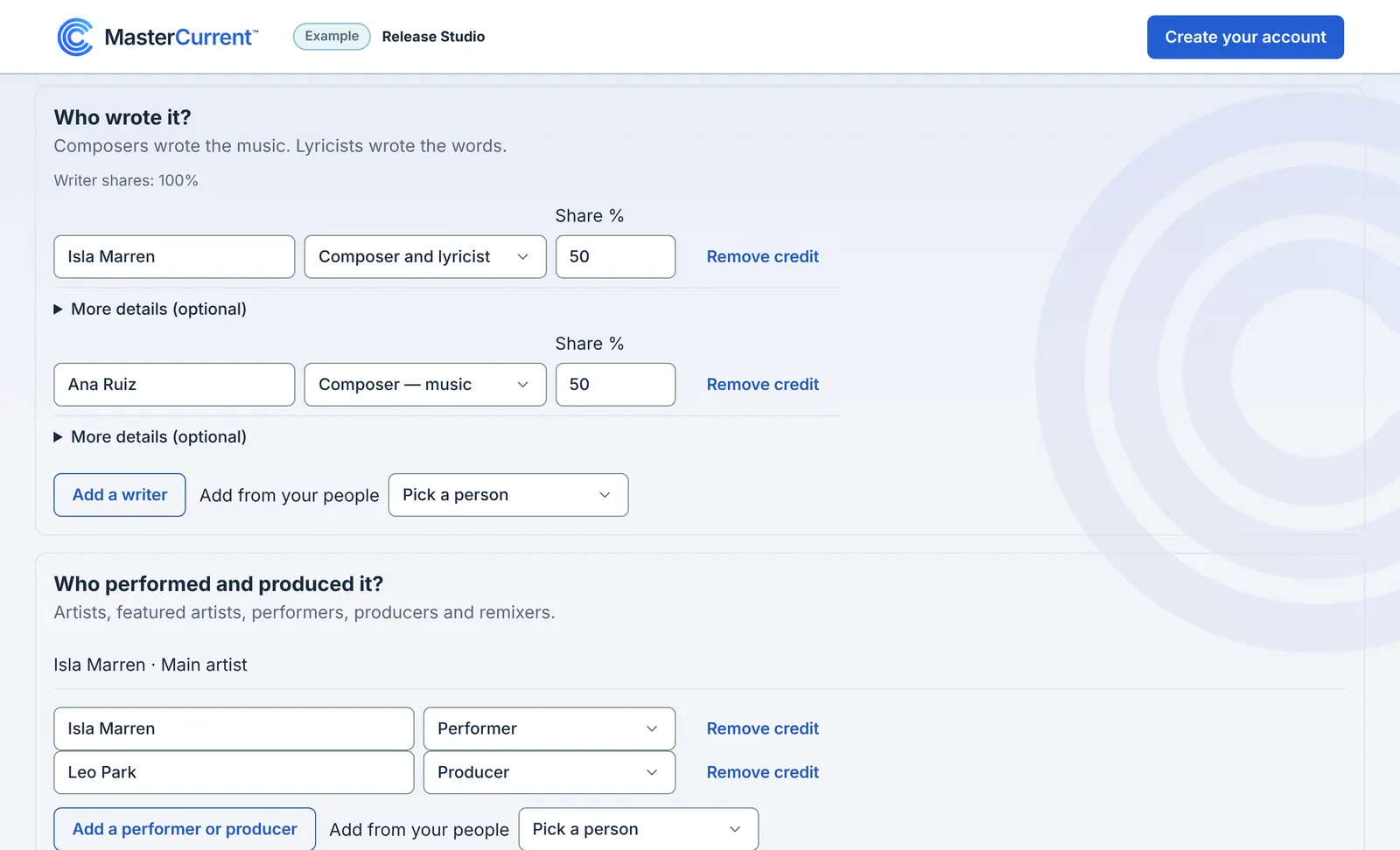
Name everyone who made it. Say who wrote the music and the words, then who played and produced. Save the people you work with, and next time they’re one click away.
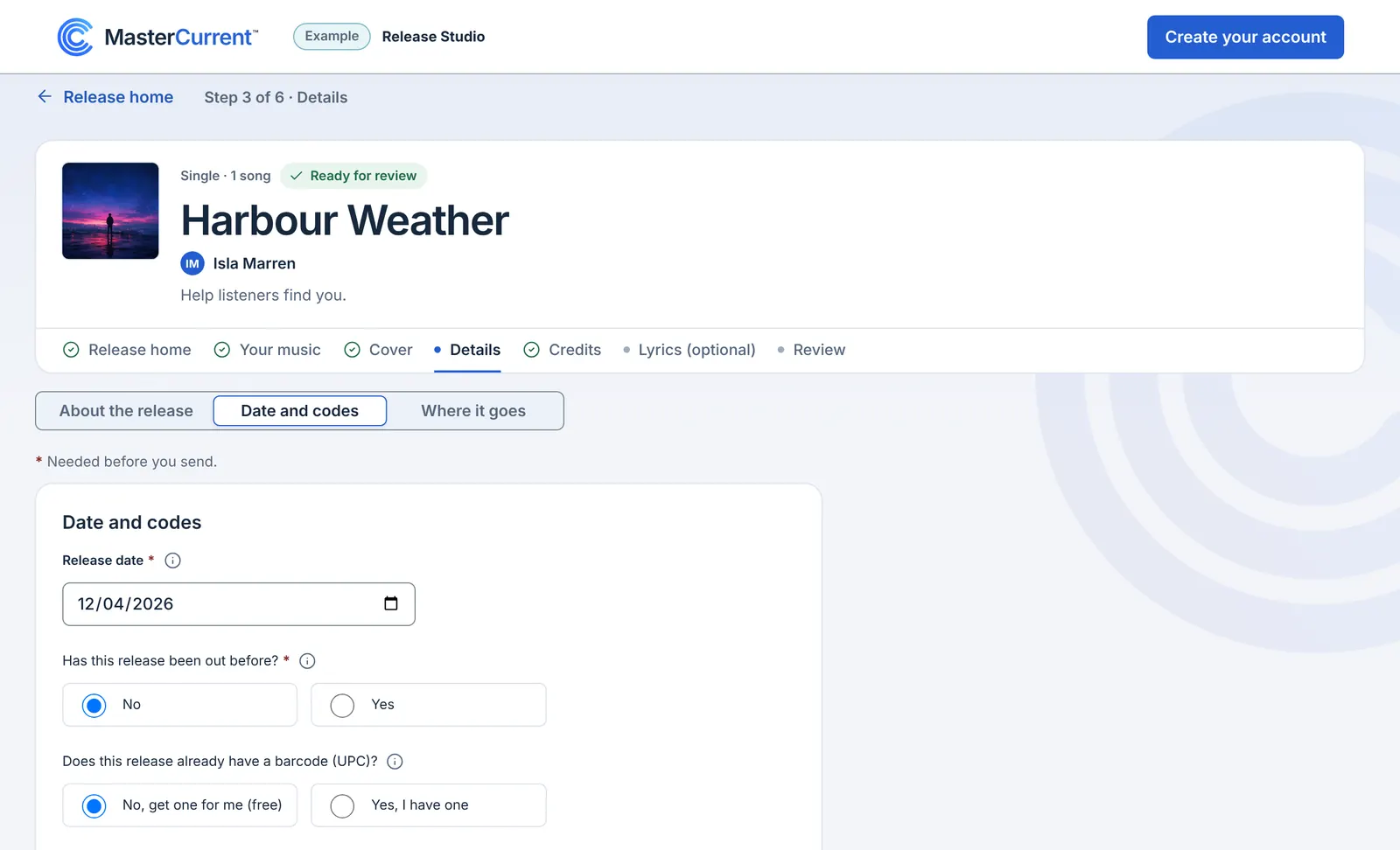
You pick the day. Pick the date you want your release to go live. Scheduling at least 2 weeks ahead gives stores time to process your release cleanly and gives you room to pitch Spotify’s editors and collect pre-saves. First release or a new artist name? Schedule at least 4 weeks ahead so stores can set up your new artist profile.
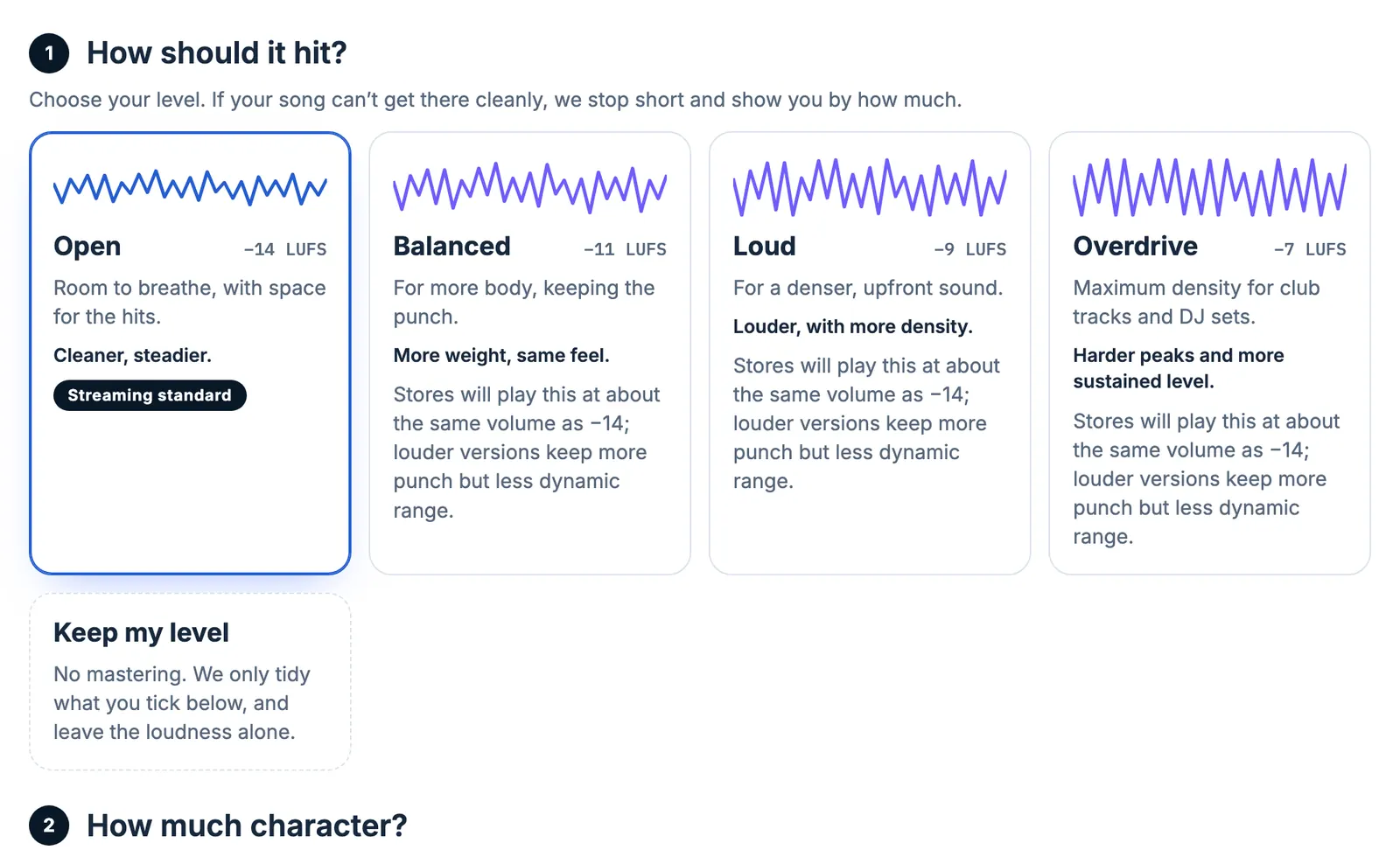
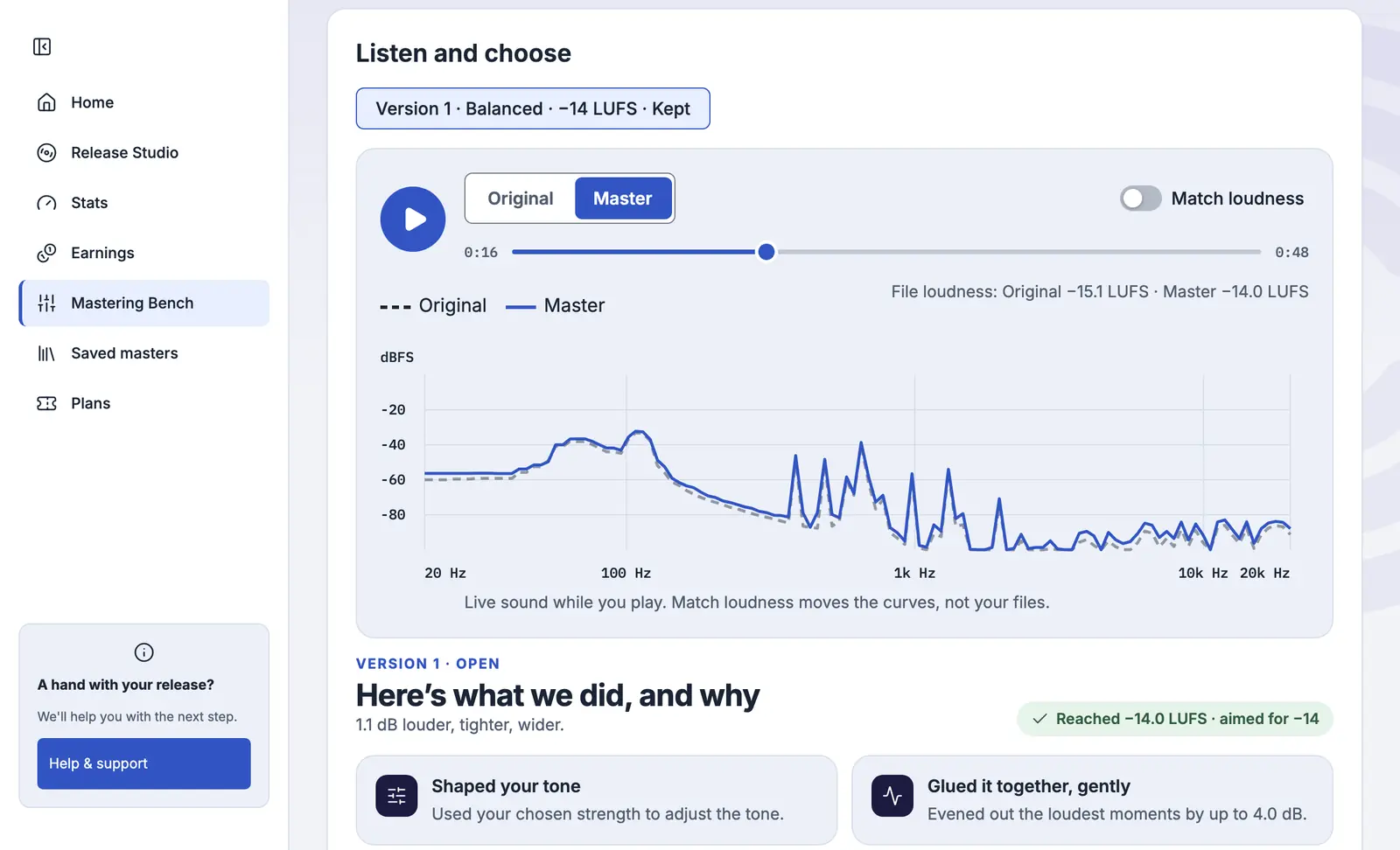
Find the sound you want to share. Love your master? Bring it. Want it finished here? MasterCurrent DSP listens to your mix first and tells you what it heard. When it’s done, it tells you what it changed, and why.
Let your ears pick. Play the new version against your mix, at matched loudness if you like, and keep the one you’d play for a friend. Nothing goes to a release until you say so.
Your call. Then we check it. One final look before launch. Review your whole release on a single screen, confirm your rights, and hit Send. Nothing goes to stores until you say go.
At a glance
Release Studio lays out each release like a tracklist: your music, cover, details and credits, each with its status. You see a quick overview and what’s completed and what’s left at a glance.
First release? It walks you through, one step at a time. Putting out your catalogue? Every field the stores need is there, from ISRCs to the original release date.
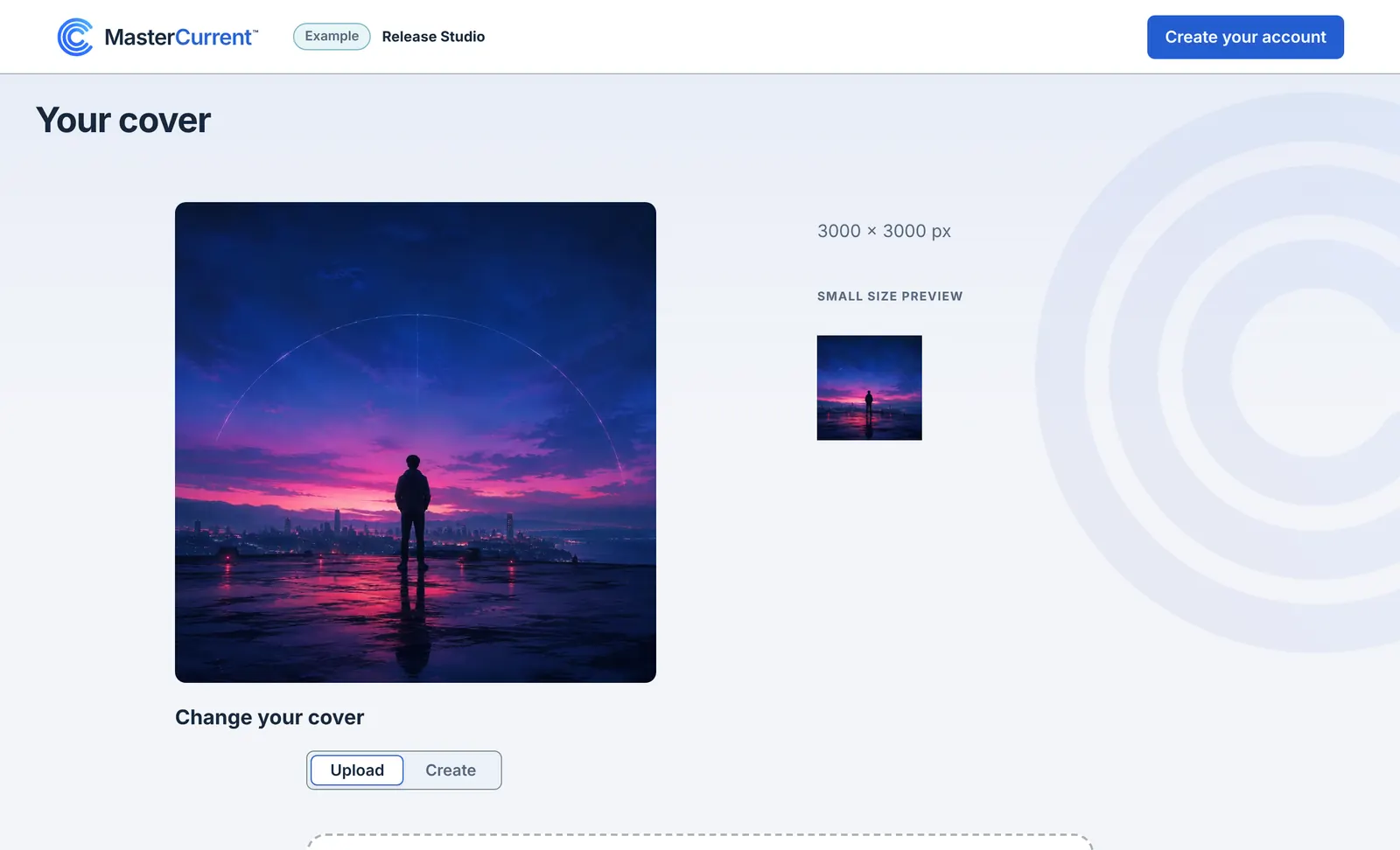
We check it as soon as it lands, and tell you if anything needs fixing. You also see it small, the way it shows up in a playlist.
Release Studio, with Isla Marren’s example single
Create a free account and see it for yourself.
Create a free accountBefore the stores
A missing songwriter, a cover that isn’t square, or too much silence at the end of a track: Release Studio flags common store issues while you’re still working and shows you how to fix them before you send.
Then we check the finished release. If something needs fixing, we tell you what, and how, before any store sees it.
Make your first release countCredit everyone who made it, and we keep it right after release day.
Splits
Add up to 10 people to a release, from your co-writers to your producer, each with their share, paid to each person automatically.
On Artist Plus and Artist Pro.
After release day
We fix names and credits with the stores, and take a release down when you ask.
Talk to usYour finished songs as WAV or FLAC files in stereo, 16 or 24-bit, at 44.1 kHz or higher. A square cover, 3000 × 3000 pixels or larger. And the names of everyone who made it.
Yes. Bring the master you have, or master each song here. Mastering on every song you release is included with every yearly plan.
Yes. Putting out older music? Use the codes it already has, and its original release date, so stores match it to what’s already out. New music gets its codes when you send it.
On the date you pick. Scheduling at least 2 weeks ahead gives stores time to process your release cleanly and gives you room to pitch Spotify’s editors and collect pre-saves. First release or a new artist name? Schedule at least 4 weeks ahead so stores can set up your new artist profile.
Yes. On the Label plan you release for any artist on your roster from one account, and give each teammate the access they need.
Each release gets a page with one link and a QR code. Before release day it can carry a Spotify pre-save and, where Apple offers it, an Apple Music pre-add; after, a button for each store.